
A trading journal built for DAS Trader Pro.
Export the day’s trade log from DAS, drop it into SpiceLog, and every fill becomes a round trip on your calendar and in your reports — no column mapping, no reformatting.
Free · every feature · unlimited imports · no credit card required
US stocks and ETFs only — no options or futures.
How to export trades from DAS Trader Pro into SpiceLog
- 1Export the trade log
In DAS Trader Pro, open Trade › Trade Log, right-click inside the window, and choose Export to save it as a CSV file.
- 2Confirm the trading date
The trade log records each fill’s time but not its date, so SpiceLog asks which day the file is from. It starts as today, and you can change it before you import. The file name doesn’t need a date; if it has one that differs from the day you chose (for example
20260911-trades.csv), SpiceLog asks which day you mean first. Nothing is saved until you click Import. - 3Drop it on the Imports page
SpiceLog recognizes a DAS export on its own, previews it, and imports it in one step — all of it or none of it.
What SpiceLog does with your fills
- Free — every feature, every report, unlimited importsNothing is locked behind an upgrade. All twelve Reports tabs (Habits, What if, By tag and the rest), every importer, the calendar and the journal are free to use, with no cap on imports or trades. No card to sign up and no charge.
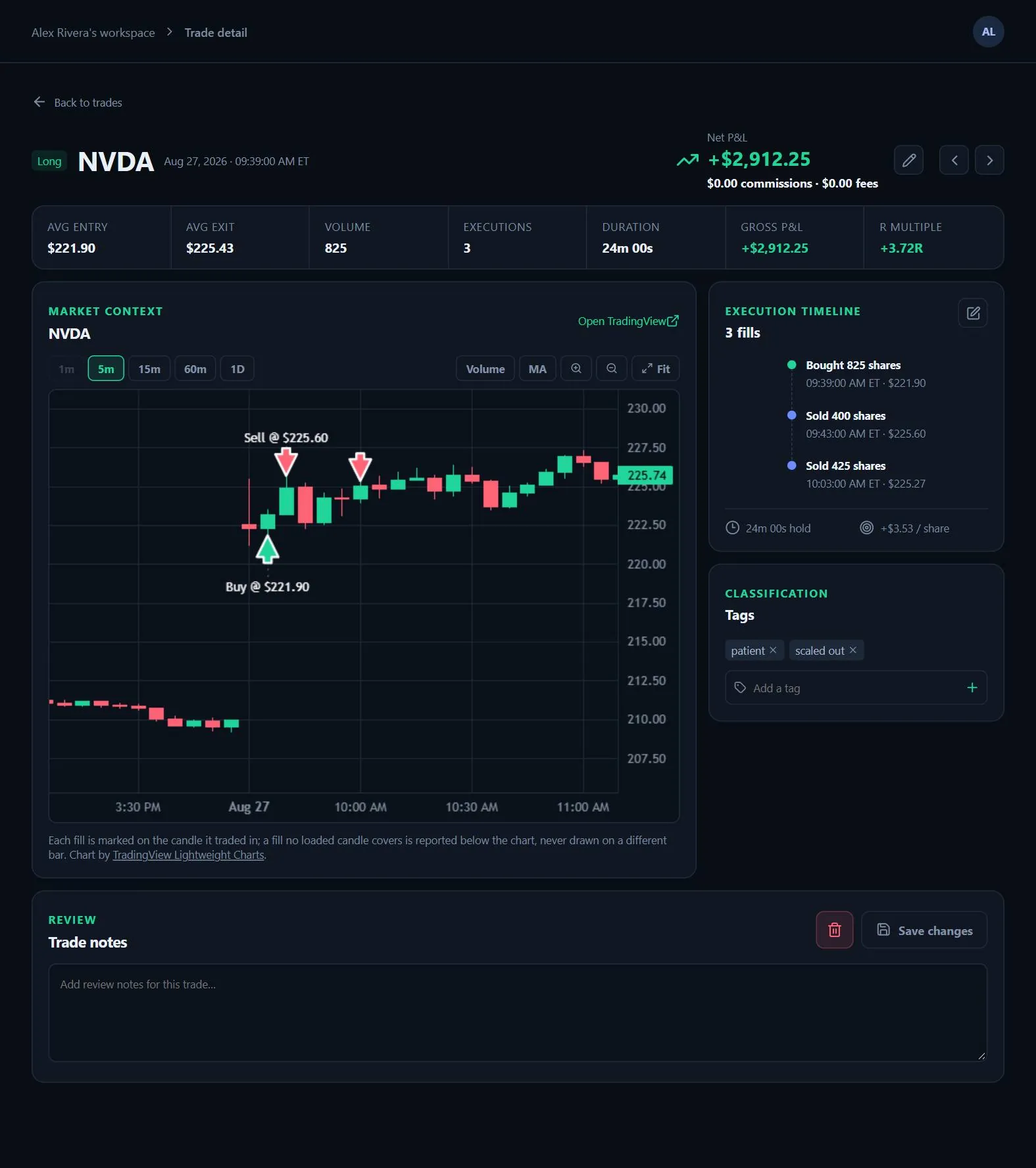
- Round trips from real fillsScale in and out as often as you like. SpiceLog tracks each position per account and symbol, closes the round trip when you’re flat, and prices entry and exit at the average of your actual fills.
- Re-export without worryExported again later in the day? Fills that are already imported are recognized and skipped, so the morning’s trades don’t come in twice.
- Commissions filled in for youThe trade log carries no commissions, so set your rate once — per share or per trade — in Settings, and SpiceLog applies it to your DAS trades, past and future.
- Only real executionsOrder events that aren’t fills are left out and counted in the import summary, so your trades reflect only what actually executed.
Also on Tradervue?
Import your Tradervue history once and keep adding DAS logs after it. When a DAS trade matches one from your Tradervue export, SpiceLog keeps a single copy. See how to import from Tradervue.
What SpiceLog doesn’t do
SpiceLog is for US stocks and ETFs only. Options and futures aren’t currently supported.
It also doesn’t sync with DAS automatically: you upload the trade log yourself, which takes a few seconds at the end of the day.
Start journaling your DAS trades today.
Free — every feature, every report, unlimited imports. See your own trades laid out in minutes.
Create your accountDAS Trader Pro is a trademark of DAS Inc., and Tradervue of its owner. SpiceLog is independent and is not affiliated with or endorsed by either.