
A free Tradervue alternative that brings your history with you.
SpiceLog imports your Tradervue trade export — tags, notes, and initial risk included.
Free · every feature · unlimited imports · no credit card required
US stocks and ETFs only — no options or futures.
Why DAS traders use SpiceLog
- Free — every feature, every report, unlimited importsNothing is locked behind an upgrade. All twelve Reports tabs (Habits, What if, By tag and the rest), every importer, the calendar and the journal are free to use, with no cap on imports or trades. No card to sign up and no charge.
- Your Tradervue history, importedOne upload imports every trade in your Tradervue export, with its tags, notes, and initial risk — so R-multiples and tag reports work from the first day.
- Tradervue and DAS in one bookKeep adding DAS fills after the import. When a DAS trade matches one from your Tradervue export — same symbol and side, opened and closed within 90 seconds — SpiceLog keeps a single copy, and the Tradervue version wins.
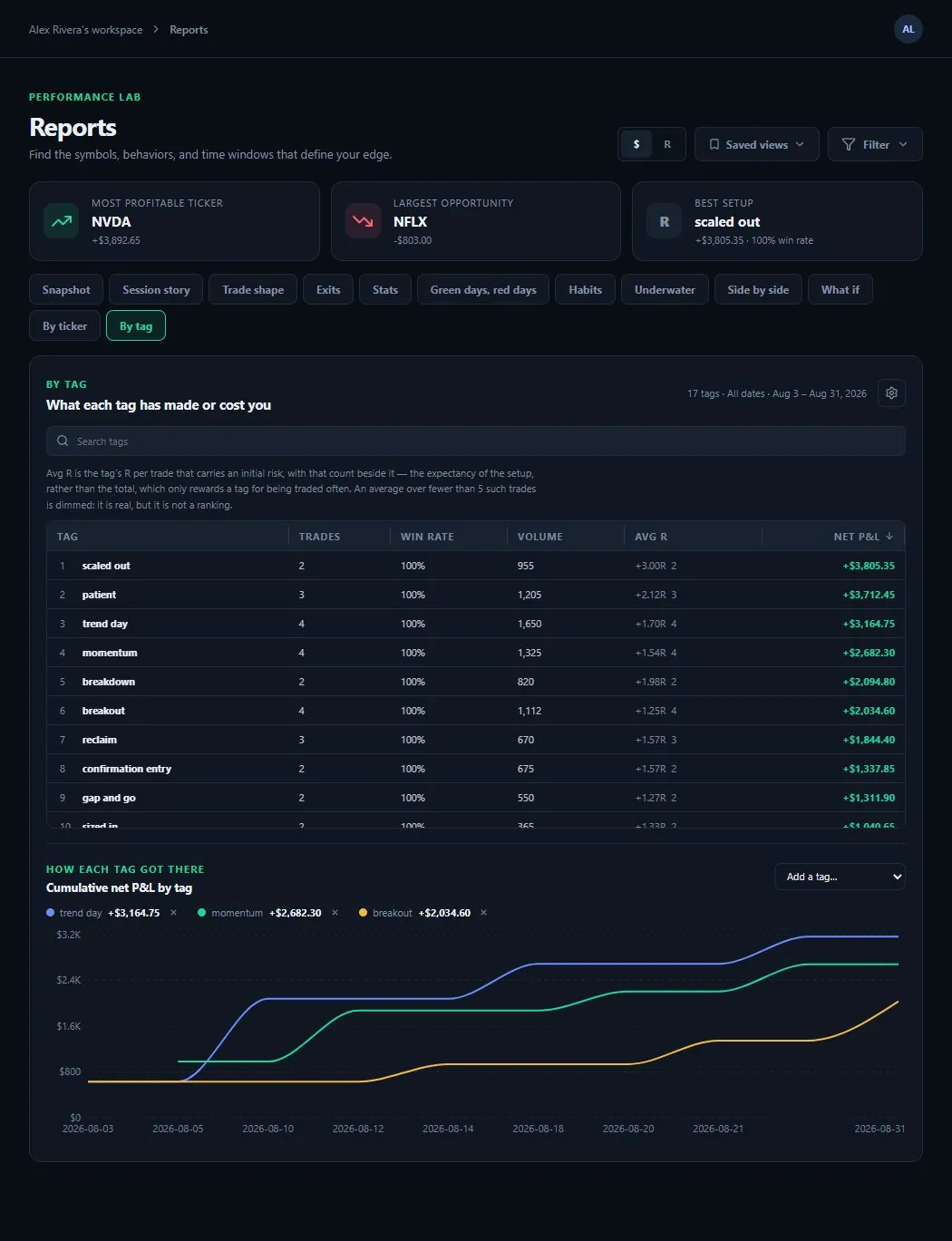
- Reports built for reviewWin rate, profit factor, expectancy, drawdown, R-multiples, hold time for winners vs. losers, and a By-tag report that ranks every setup by net P&L.
Export your Tradervue trades and import them in four steps
- 1Export your Tradervue trades to CSV
Open Trades, filter to the dates you want to import, and click Download CSV in the bottom-right corner of the trade list.
- 2Create your SpiceLog account
Email or Google sign-in. It takes about a minute, and it’s free.
- 3Drop the CSV on the Imports page
SpiceLog recognizes a Tradervue export on its own — no column mapping — and shows a preview of what will import before anything is saved.
- 4Keep adding your DAS fills
At the end of each trading day, export your DAS Trader Pro trade log and drop it in the same way. Here’s how.
SpiceLog vs. Tradervue, honestly
Tradervue is a mature product and still does things SpiceLog doesn’t. Here is where each one stands.
| Feature | SpiceLog | Tradervue |
|---|---|---|
| DAS Trader Pro | Upload the day’s trade log (CSV) | Automatic import |
| Tags, notes, and reports by tag | Yes | Yes |
| R-multiples | Yes | Yes |
| Price chart with your fills marked | Yes | Yes |
| Download / export to Excel (CSV) | Yes | Yes |
| MFE/MAE | Yes — recent trades and Tradervue imports | Yes |
| Exit analysis | Not yet | Yes |
| Running P&L charts | Not yet | Yes |
| Trade sharing and mentor mode | Not yet | Yes |
| Options, futures, and forex | No — US stocks and ETFs only | Yes |
Tradervue features are from its own DAS Trader Pro, supported-products and MFE/MAE help pages, checked September 18, 2026.
Questions Tradervue users ask
- Will my tags and notes be imported?
- Yes. The tags, notes, and initial risk in your Tradervue export are imported with each trade.
- What if I import the same file twice?
- Nothing is doubled. Trades already in your journal are recognized and skipped.
- What does it cost?
- Nothing. SpiceLog is free — every feature, every report, unlimited imports — and signing up doesn’t ask for a card.
- Does SpiceLog handle options or futures?
- No. SpiceLog is built for US stocks and ETFs only, so if your Tradervue history includes options or futures trades, those won’t import correctly.
- Can I get my data back out?
- Yes. You can export a full copy from inside the app at any time, or delete your account and all of its data yourself.
Import your Tradervue history today.
Free — every feature, every report, unlimited imports. See your own trades laid out in minutes.
Create your accountTradervue is a trademark of its owner, and DAS Trader Pro of DAS Inc. SpiceLog is independent and is not affiliated with or endorsed by either.